 Maksym Popov


When users open a banking app, they expect more than just functionality—they expect a seamless, intuitive experience. While features like payments, transfers, and account management are essential, it’s often the small details, or micro-interactions, that define the user experience.
Micro-interactions are subtle animations, feedback responses, and intuitive design cues that guide users, enhance usability, and create a sense of satisfaction when using an app. Though they may seem minor, these design elements can have a major impact on user engagement, trust, and retention.
In this article, we’ll explore how micro-interactions elevate digital banking UX, common examples in financial apps, and best practices for implementing them effectively.
1. What Are Micro-Interactions in UX?
Micro-interactions are small, functional design elements that provide feedback, help users navigate, or make interactions feel more natural.

They typically follow a four-part cycle:
- Trigger – A user performs an action (e.g., taps a button).
- Rule – The system determines how to respond.
- Feedback – A visual, auditory, or haptic cue confirms the action.
- Loop & Mode – The interaction repeats or ends based on the outcome.
In banking apps, these subtle details make interactions feel effortless, provide reassurance, and reduce user friction.
2. Why Micro-Interactions Matter in Banking Apps
2.1 Building Trust and Security
In financial apps, trust is critical. Clear, real-time feedback reassures users that their actions are being processed securely.
- Example: A “loading” animation with a secure transaction message reduces user anxiety while a payment is being processed.
2.2 Enhancing User Engagement
Micro-interactions make everyday banking tasks feel more intuitive and enjoyable.
- Example: A swipe-to-confirm payment animation makes the action feel more tangible and deliberate.
2.3 Reducing User Errors
Subtle UI cues help prevent mistakes before they happen.
- Example: A shake animation when entering an incorrect PIN prevents users from submitting the wrong code multiple times.
2.4 Improving Navigation and Efficiency
Micro-interactions make complex actions feel simpler and faster.
- Example: Dynamic progress bars guide users through multi-step processes like account setup or loan applications.
3. Examples of Micro-Interactions in Banking Apps
3.1 Real-Time Feedback on Transactions
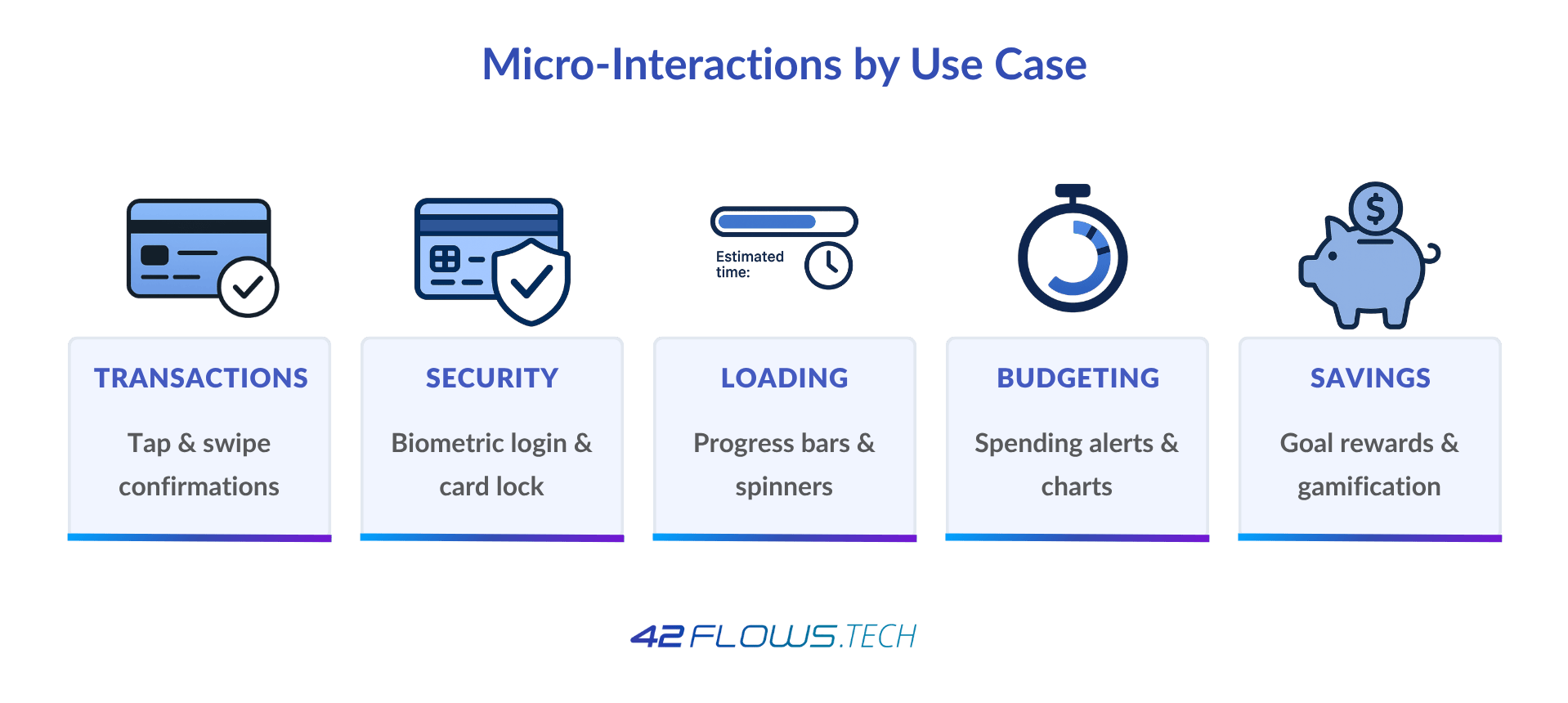
- Tap Effect: When users tap “Send Money,” a quick button color change confirms the action.
- Animated Checkmark: A checkmark animation reassures users that a payment was successful.
3.2 Seamless Authentication & Security Cues
- Biometric Authentication Animations: A smooth fingerprint or face scan animation enhances the login experience.
- Card Freeze Toggle: Instantly locking a card shows a frosted effect to indicate the status change.
3.3 Smart Loading Indicators
- Instead of a generic spinner, a progress bar with transaction details reassures users that the system is working.
- Showing estimated processing time prevents users from refreshing or closing the app too soon.
3.4 Interactive Budgeting & Spending Insights
- Color-coded spending alerts (green for savings, red for overspending).
- Daily spending limits represented as a filling progress circle to encourage financial awareness.
3.5 Gamified Savings Features
- Animated rewards when reaching a savings goal encourage continued engagement.
- Confetti or badge animations for financial milestones create positive reinforcement.
4. Best Practices for Implementing Micro-Interactions in Banking Apps
4.1 Keep It Functional, Not Distracting
- Micro-interactions should enhance usability, not slow down the experience.
- Avoid excessive animations that could frustrate users.
4.2 Make It Feel Natural
- Use subtle transitions instead of abrupt changes.
- Follow real-world physics (e.g., a toggle switch should slide smoothly, not jump).
4.3 Prioritize Accessibility
- Ensure haptic feedback for users with visual impairments.
- Use contrasting colors for users with low vision.
4.4 Test and Iterate Based on User Behavior
- A/B test different micro-interactions to see what improves engagement.
- Gather user feedback to refine animations and responses.
5. The Business Impact of Micro-Interactions in Banking Apps
Higher User Retention
- Apps with seamless, engaging UX see higher daily active users and lower churn rates.
Increased Trust in Digital Banking
- Clear, responsive design reassures users that their money is safe and transactions are secure.
Reduced Customer Support Costs
- Well-designed UX reduces errors and confusion, leading to fewer support inquiries.
Conclusion
Micro-interactions are the small but powerful details that separate an average banking app from a truly intuitive and engaging experience. Whether it’s a subtle confirmation animation, a well-placed security cue, or a gamified savings feature, these elements enhance usability, build trust, and keep customers engaged.
At 42Flows, we specialize in designing seamless, micro-interaction-driven digital banking experiences that prioritize both functionality and engagement.